






12 Months
May 2024 - April 2025
2 Product Designers (incl. me)
2 Product Managers
8 Software Developers
Scoping, Research, Validation, Prototyping
Owned Admin Dashboard, Design System
Introducing Sistema Tacet—
an absence management platform for music teachers, used in conjunction with an administrator dashboard.
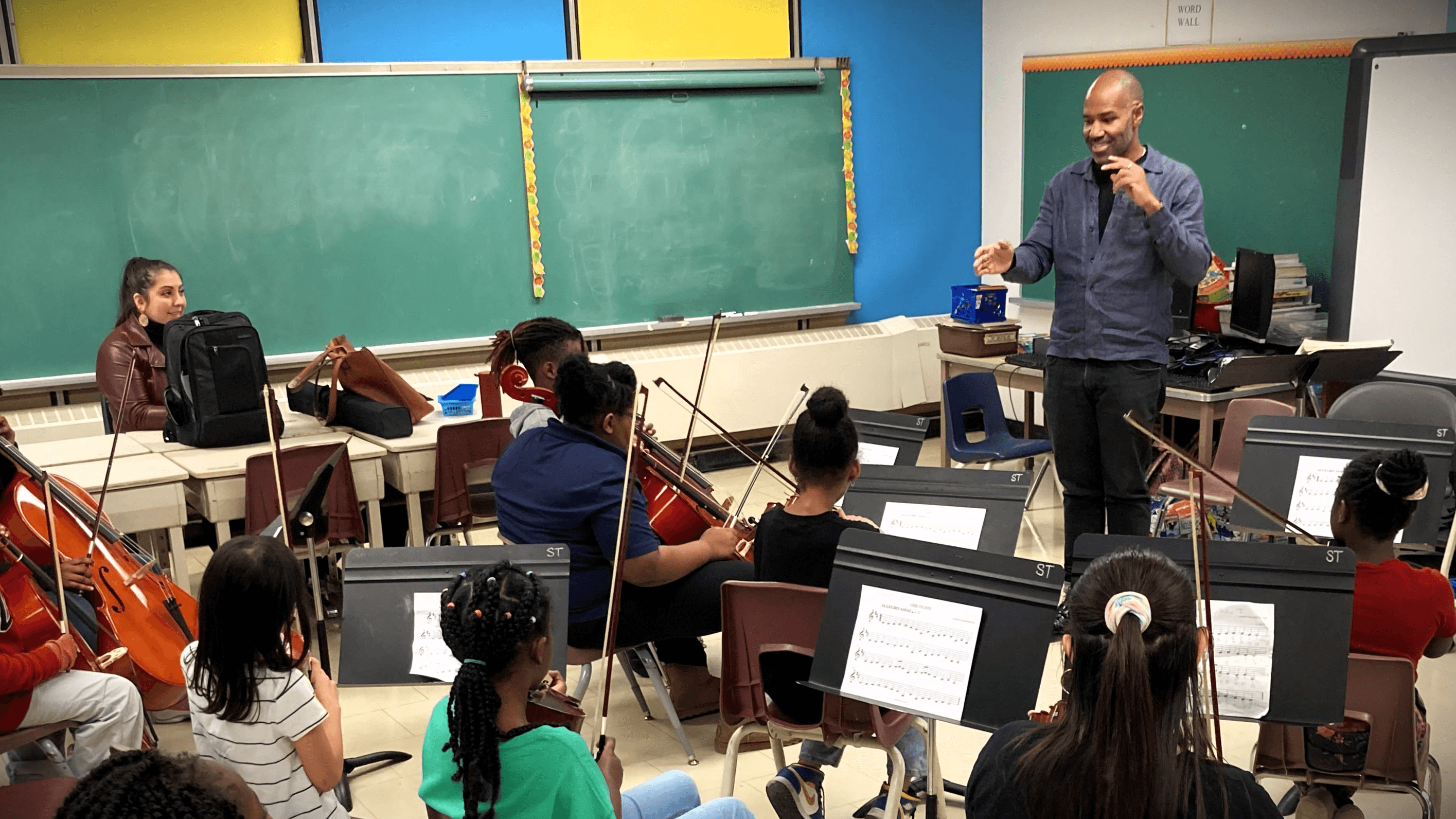
Managing absences at Sistema was manual and inefficient.

Teachers need to:
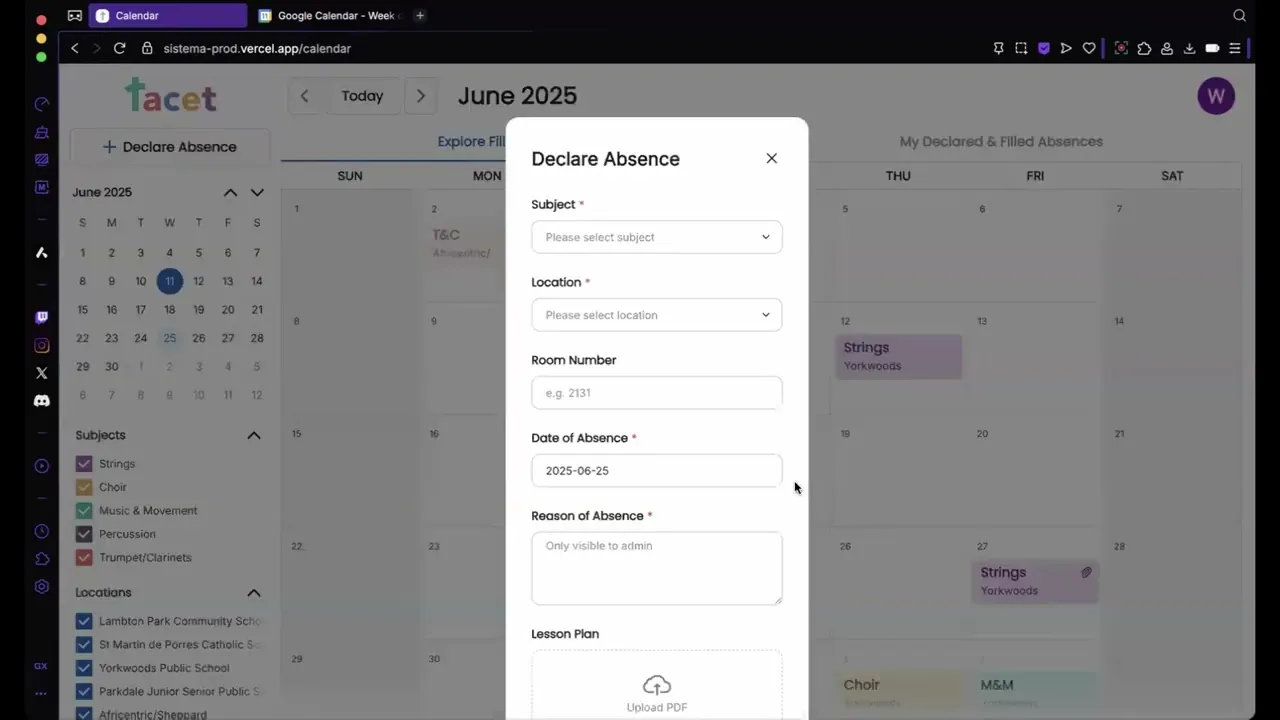
log absences
attach lesson plans
claim available classes
get reminders + change alerts
Admins need to:
edit any absence
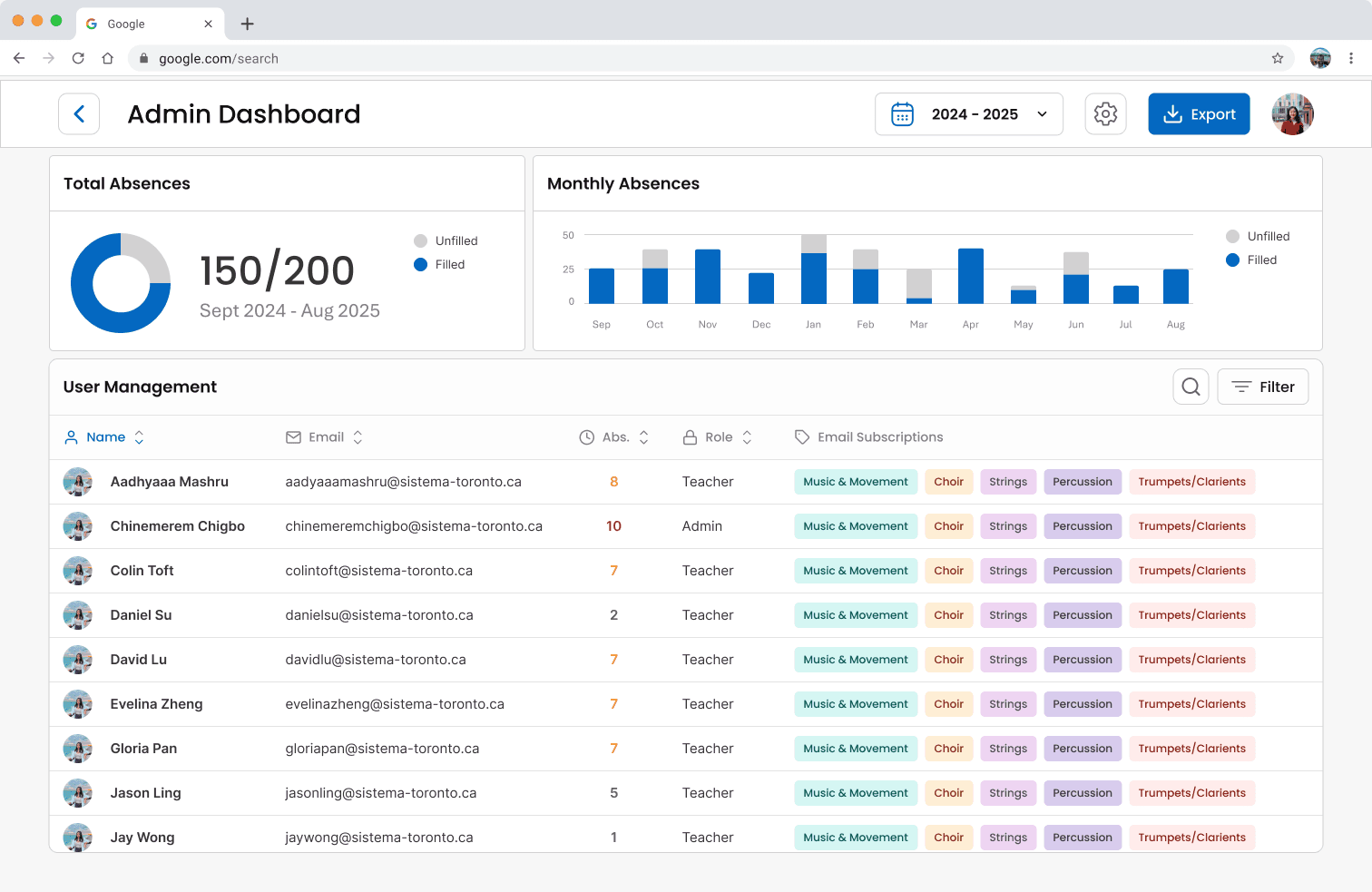
monitor absences across locations
manage users / roles
manage subjects & locations
export to Google Calendar
Some things we wanted to prioritize throughout this project:
Familiarity —
built around Google Calendar
Self-sufficiency —
minimal support post-handoff
Customization —
tailored to Sistema’s workflows
“Why couldn’t you just make a Google Calendar extension...?”
Sistema wanted full customizability and self-sufficiency. After some analysis, it was much easier to create our system from scratch than to try and adapt to Google Calendar’s existing infrastructure. We wanted Sistema to have an entire customized platform for themselves —that’s one of the privileges of being volunteers working with non-profits.
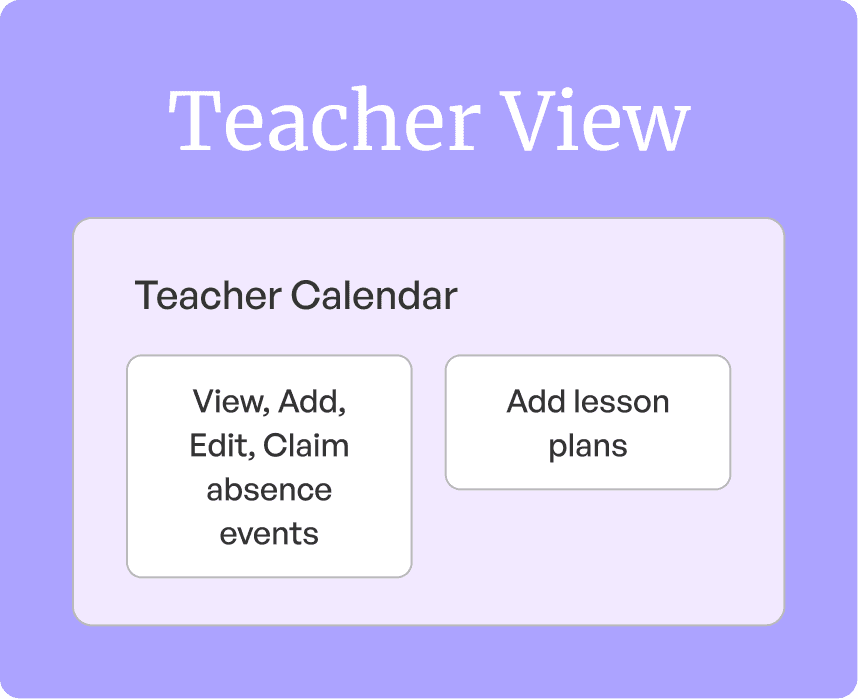
For teachers
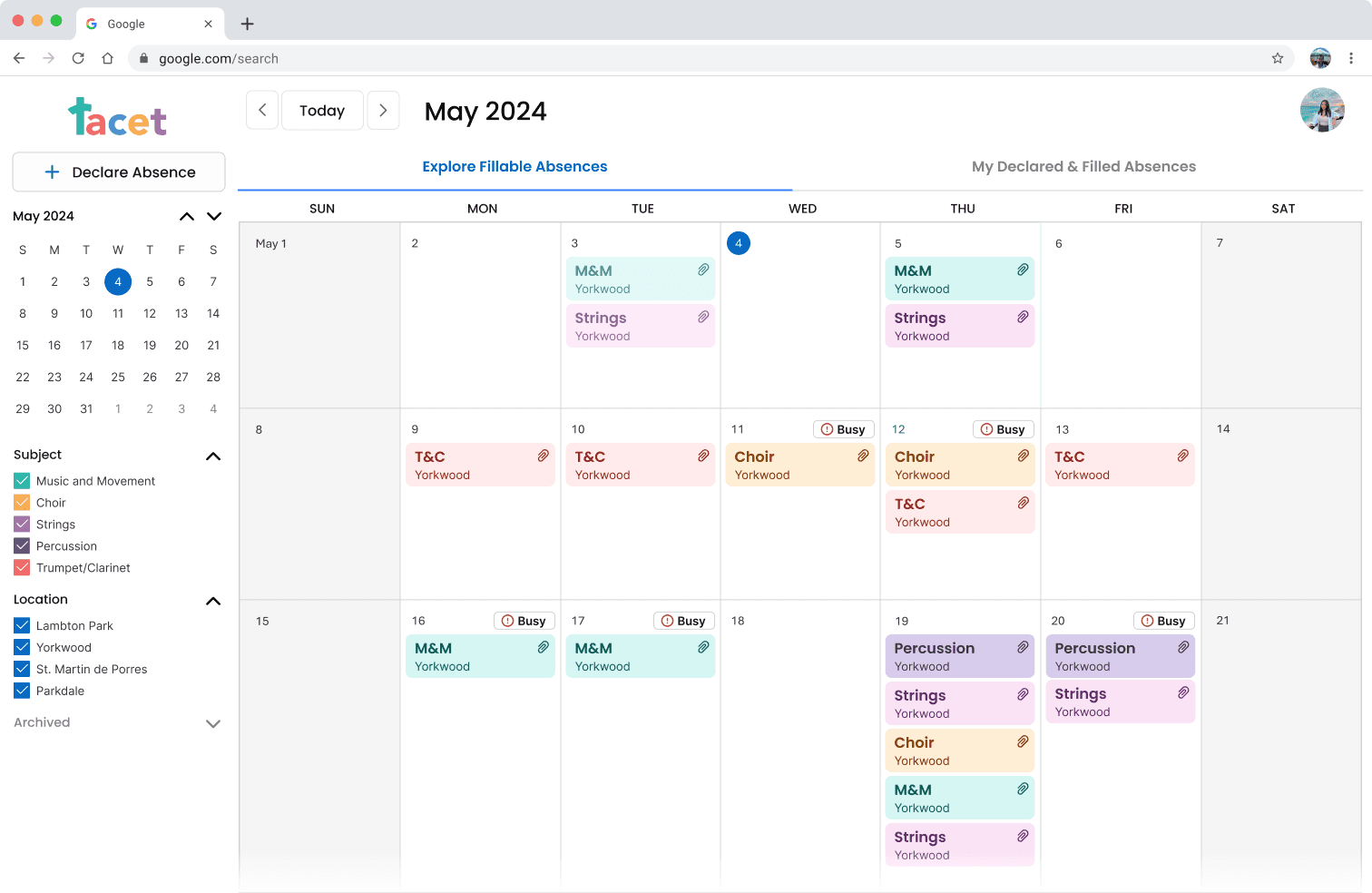
A single calendar where teachers can:
Log and edit their own absences
Attach lesson plans
View and claim absences posted by others
Simple, streamlined, and focused on the teacher.
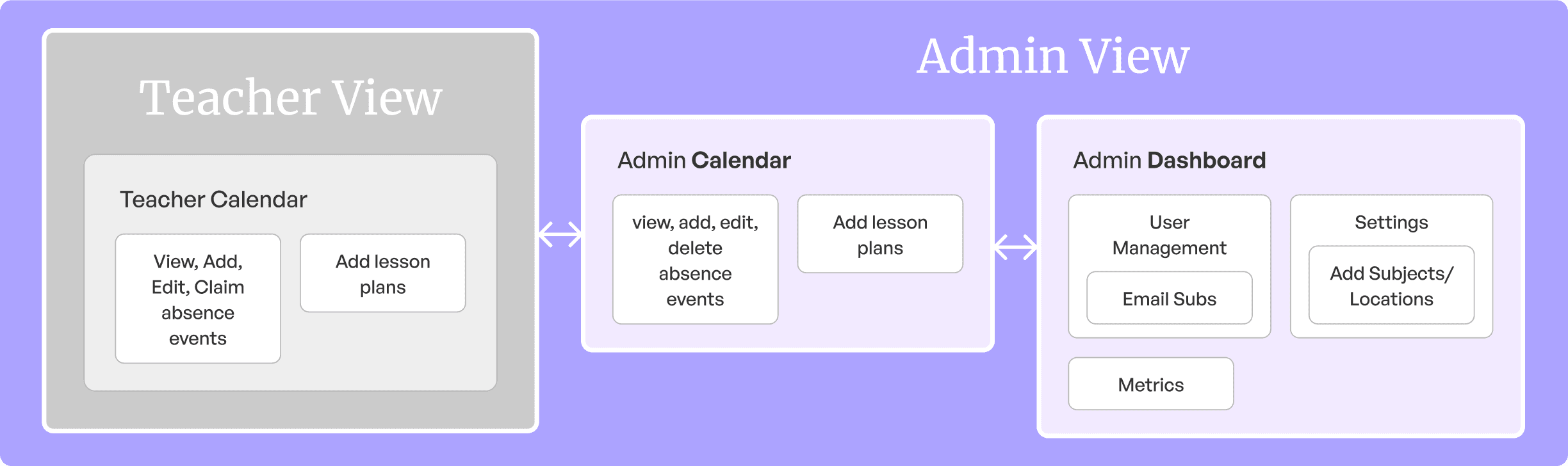
For admins
Admins are teachers too—but need more control.
We gave them access to:
Manage all absences (any user, any class)
Attach plans on behalf of others
View metrics, manage users, edit class structures
Modify subjects, locations, and email subs
Multiple touchpoints, full visibility, long-term self-sufficiency.
Why this matters
We built off what teachers were already familiar with (Google Calendar), but added just enough structure for admins to oversee the whole system—without introducing unnecessary friction.
Starting with our primary user: The Teacher.
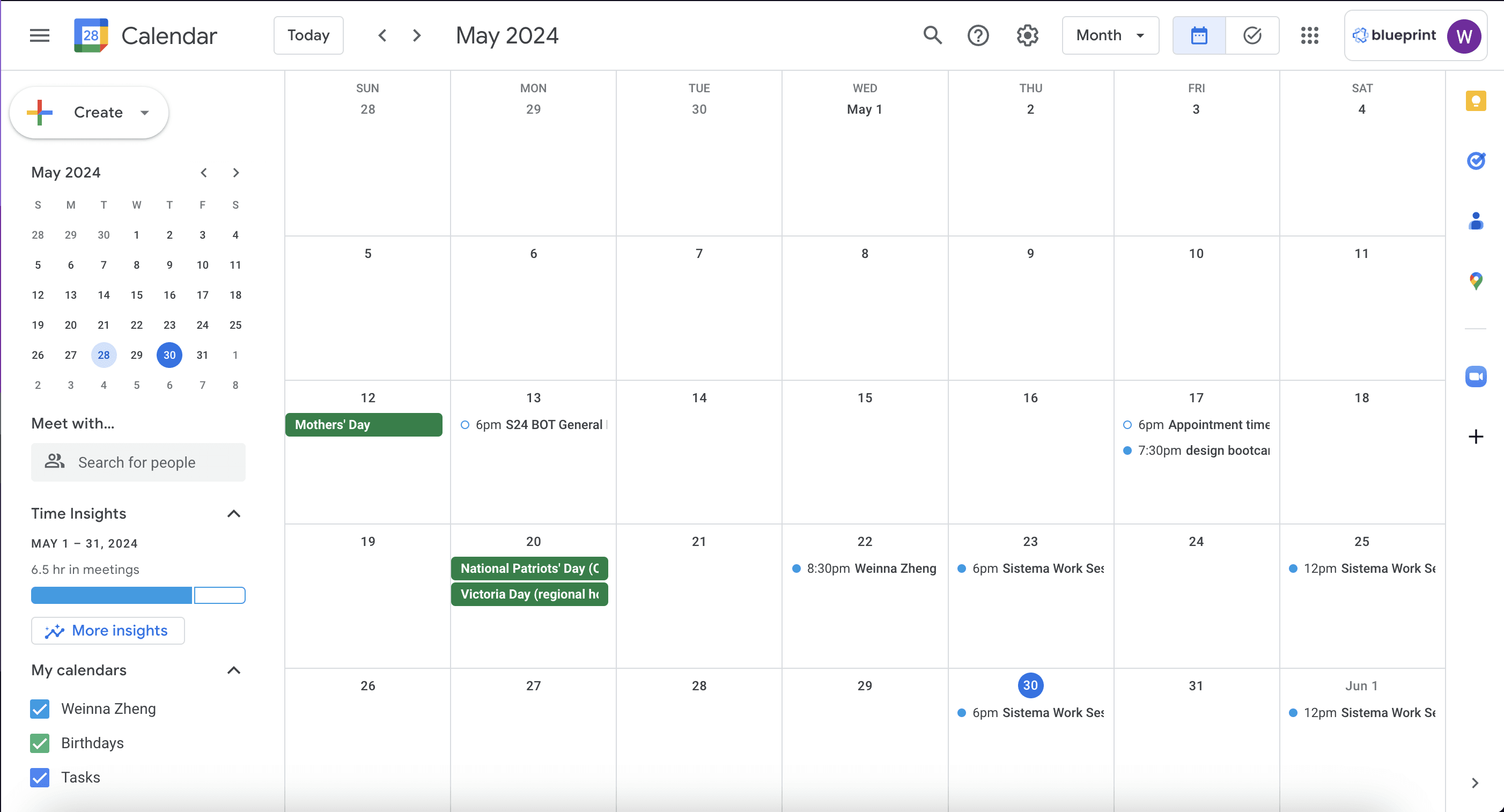
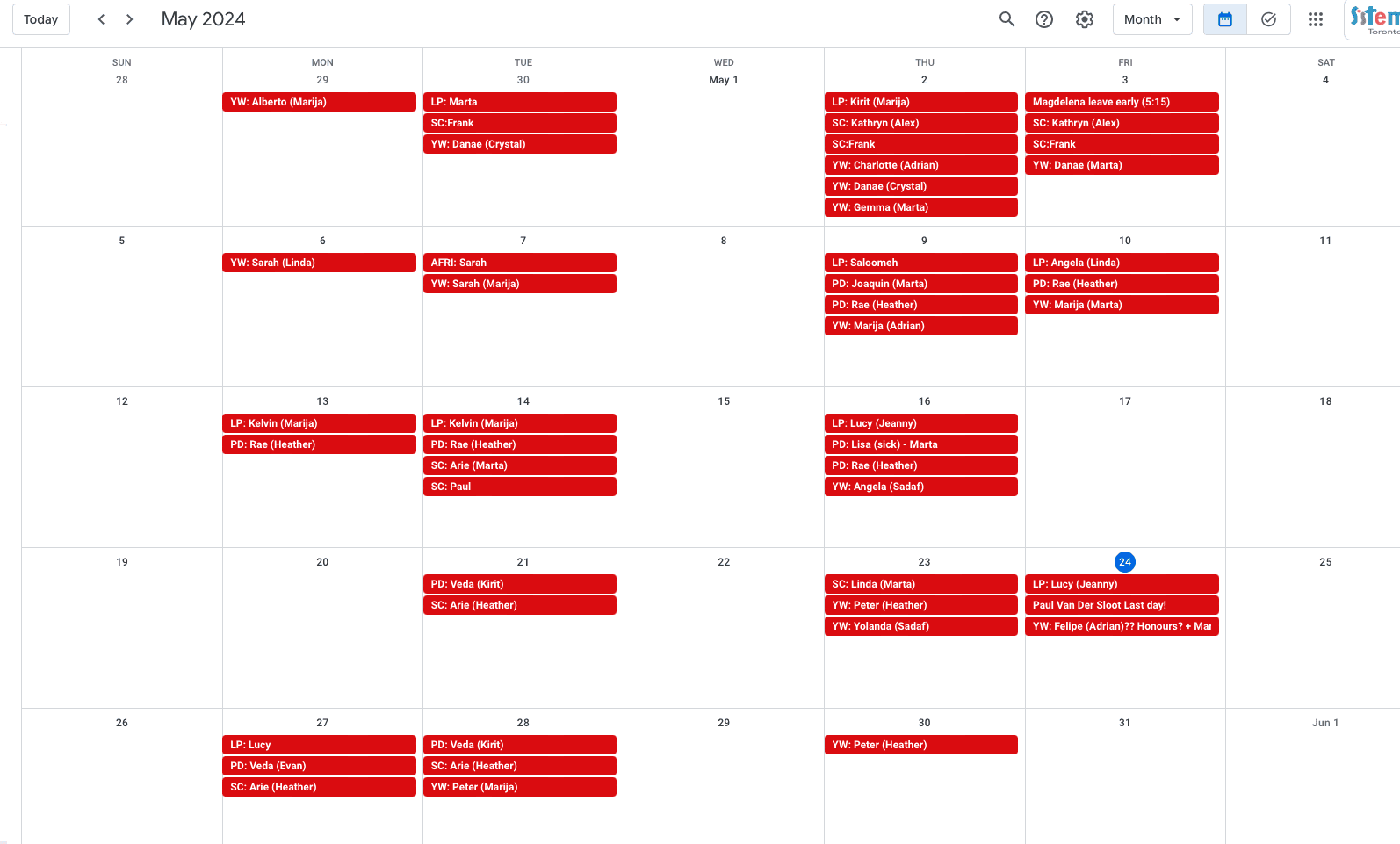
Some examples...
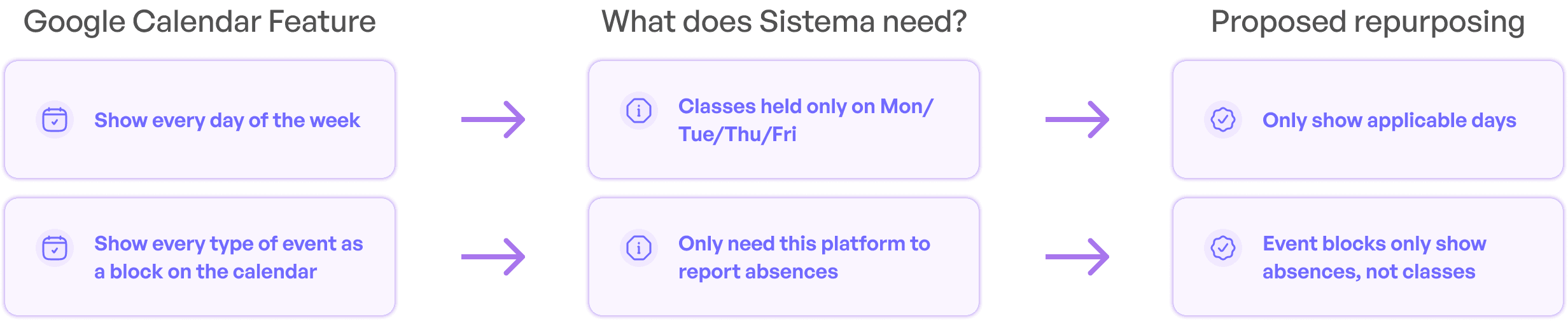
Key questions guided our thinking:
What does Google Calendar offer that we don’t need?
What can we adapt to better support absence tracking?
This framework shaped every customization decision, grounding each one in a clear rationale.
(of course, we also took a peek at a bunch of other references to see what was a standard across calendar apps (see below), but mainly focused on Google Calendar when repurposing features for Sistema.)
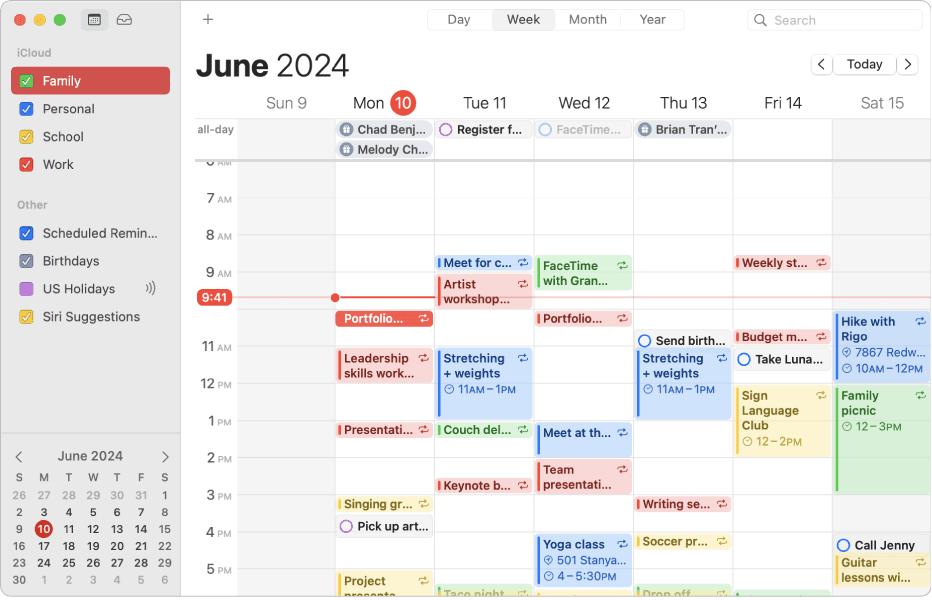
Apple calendar
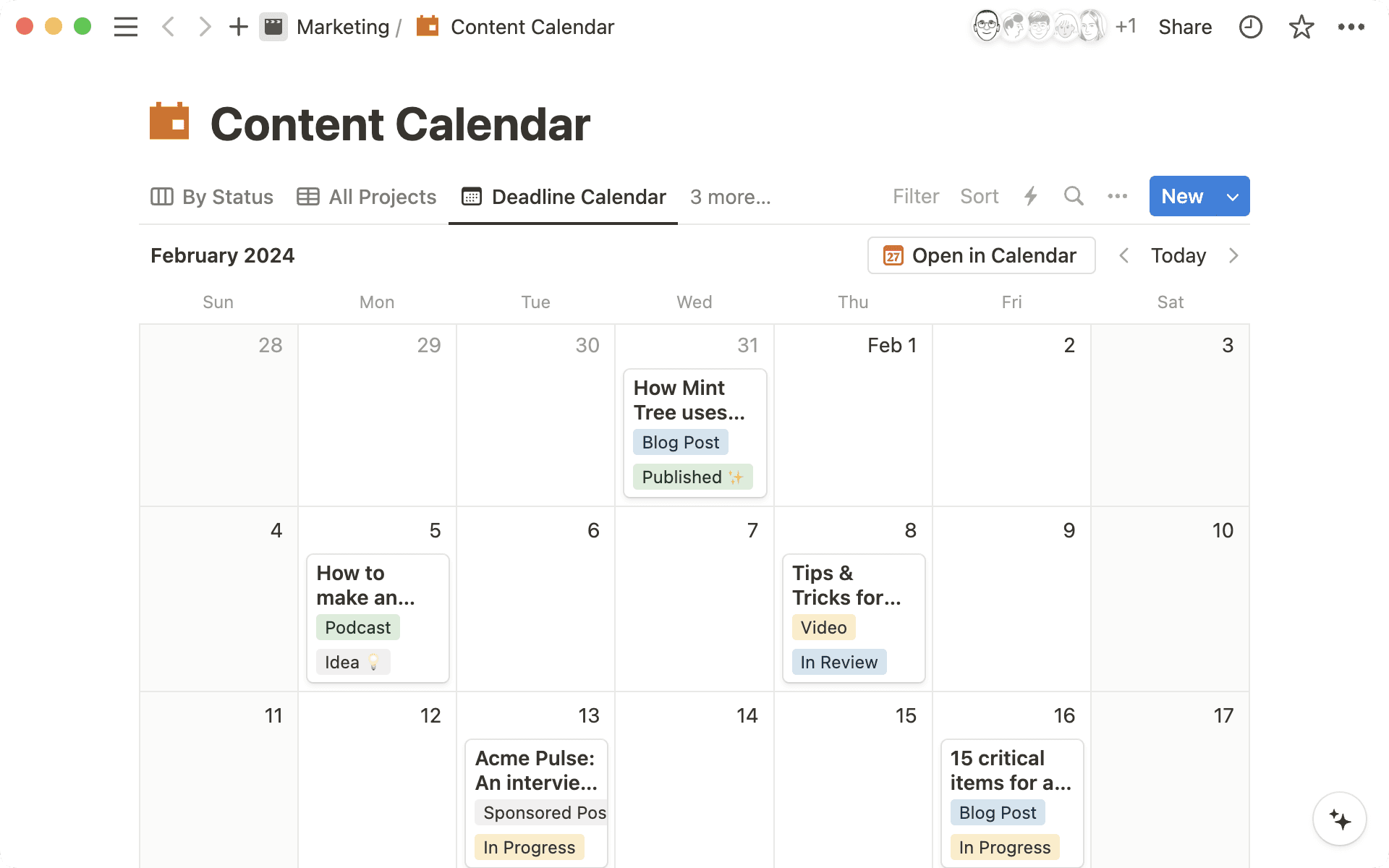
Notion calendar
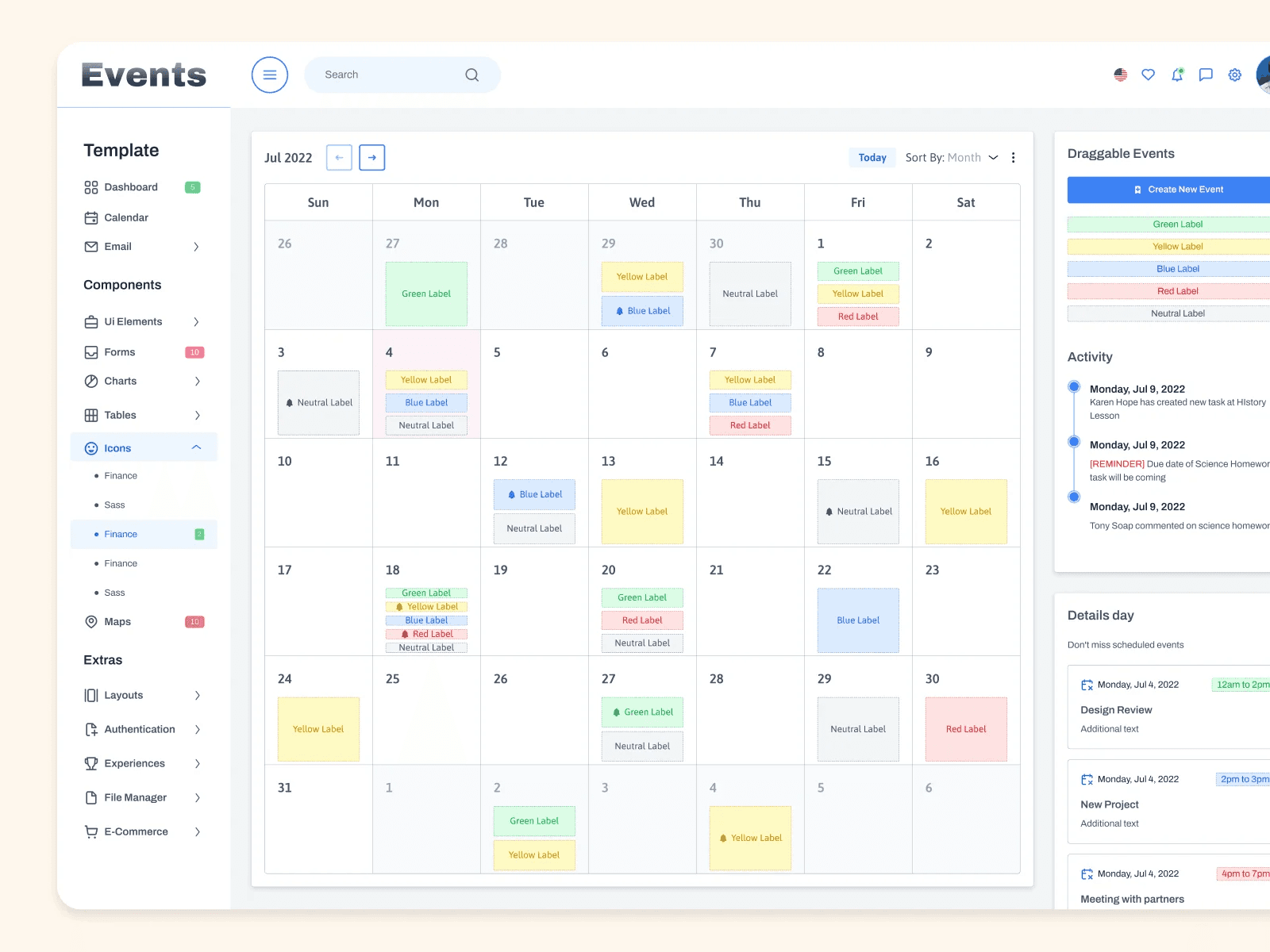
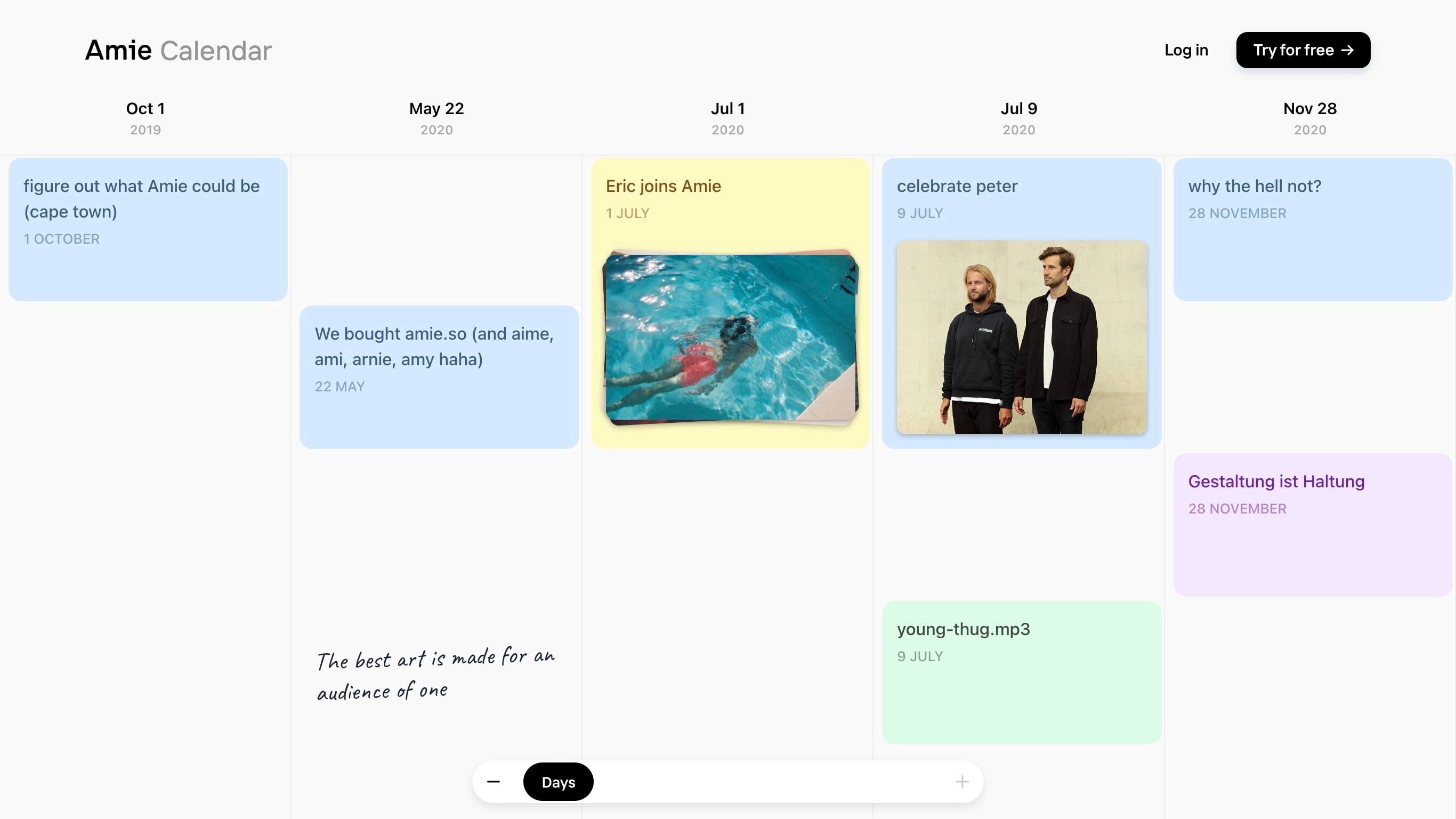
Misc calendar concepts on Dribbble
SKETCHES AND WIREFRAMES
Mapping the vision
We sketched out early structures and interface flows together as a team -- both PMs and designers.
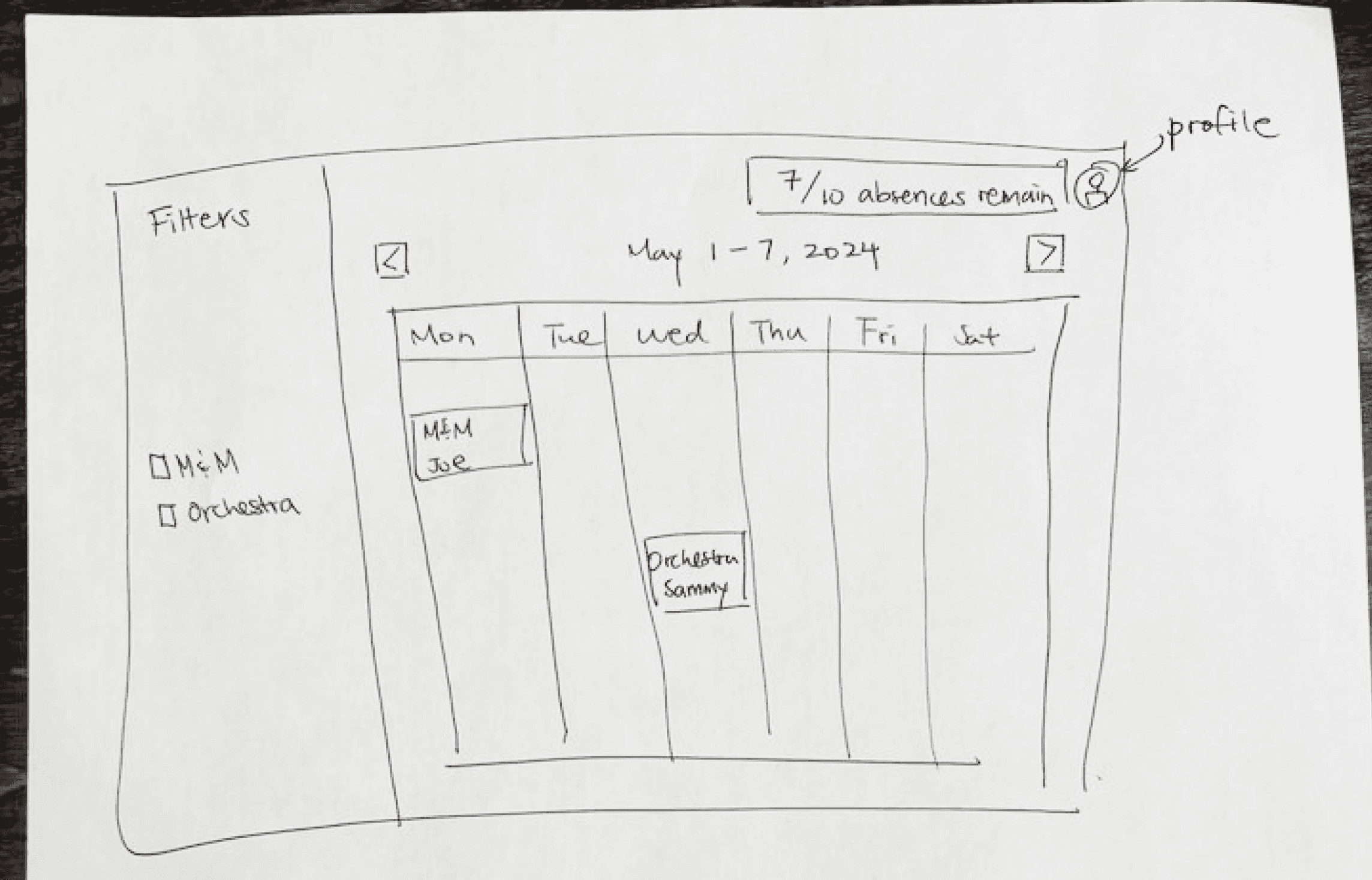
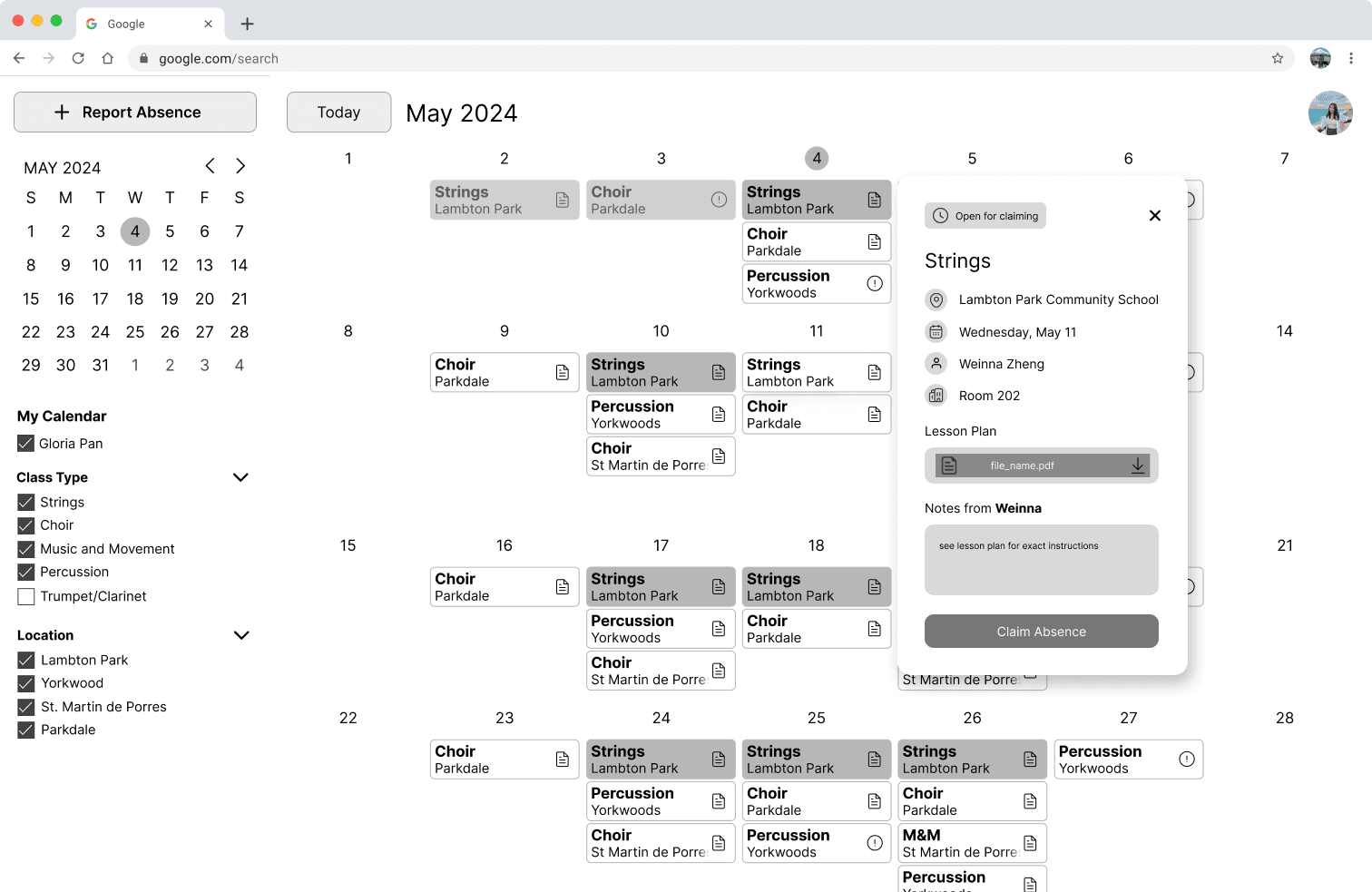
To make sure we weren’t too quick to jump straight into the GCal layout, we used our wireframes to do a quick sanity check through usability tests.
USABILITY TESTING
Was the Google Calendar layout the right call?
Using our interactive lo-fi prototype, we conducted some quick tests with 5 users (3 of our devs, 2 misc students), just to ensure the GCal features actually work well for our intended purpose. Tasks included:
Declaring and filling an absence
Using filters
Navigating modal states
80% successfully completed the tasks. Overall, our users enjoyed the familiarity of Google Calendar ✅
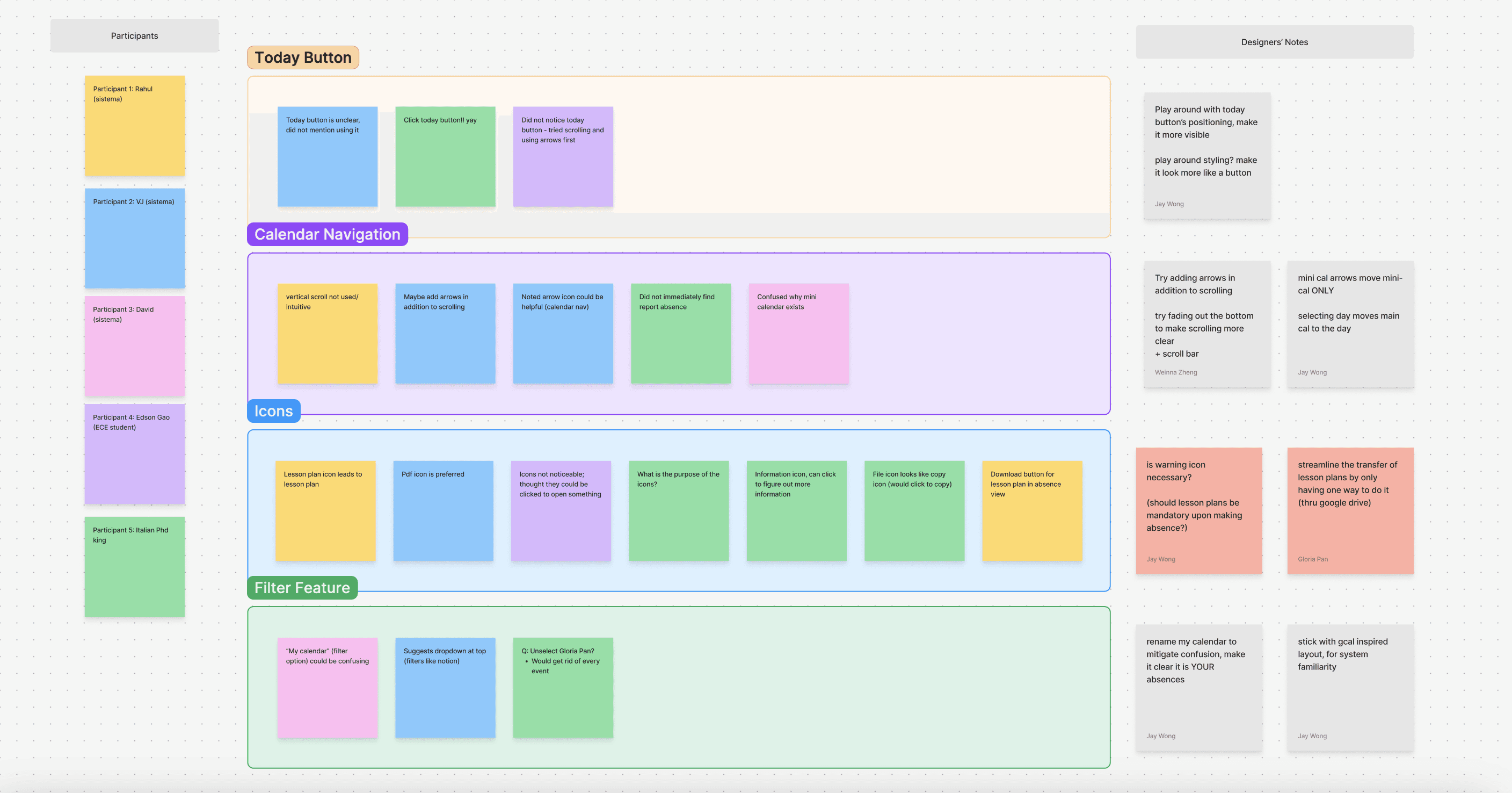
Some affinity mapping helped us extract some good feedback, which led to improvements in button placements, upload flows, and copy.
DESIGN CHOICE: CALENDAR TYPE
Choosing a layout that balanced clarity, scalability, and backend simplicity.
Since our platform was centred around a calendar view, we explored multiple different layout options:
Fixed with left/right arrows
✅ Familiar to GCal users
✅ Easy to fit entire month in one view
❌ Fixed calendar date sizes → limited number of events displayed per day
Infinite vertical scroll
✅ Dynamically fits all absences, scalable
❌ Hard to jump far into the future
❌ Heavier backend load
Vertical scroll per month + arrows [Chosen]
✅ Dynamically fits all absences
✅ Easier to load in the backend
❌ Hard to jump far into the future
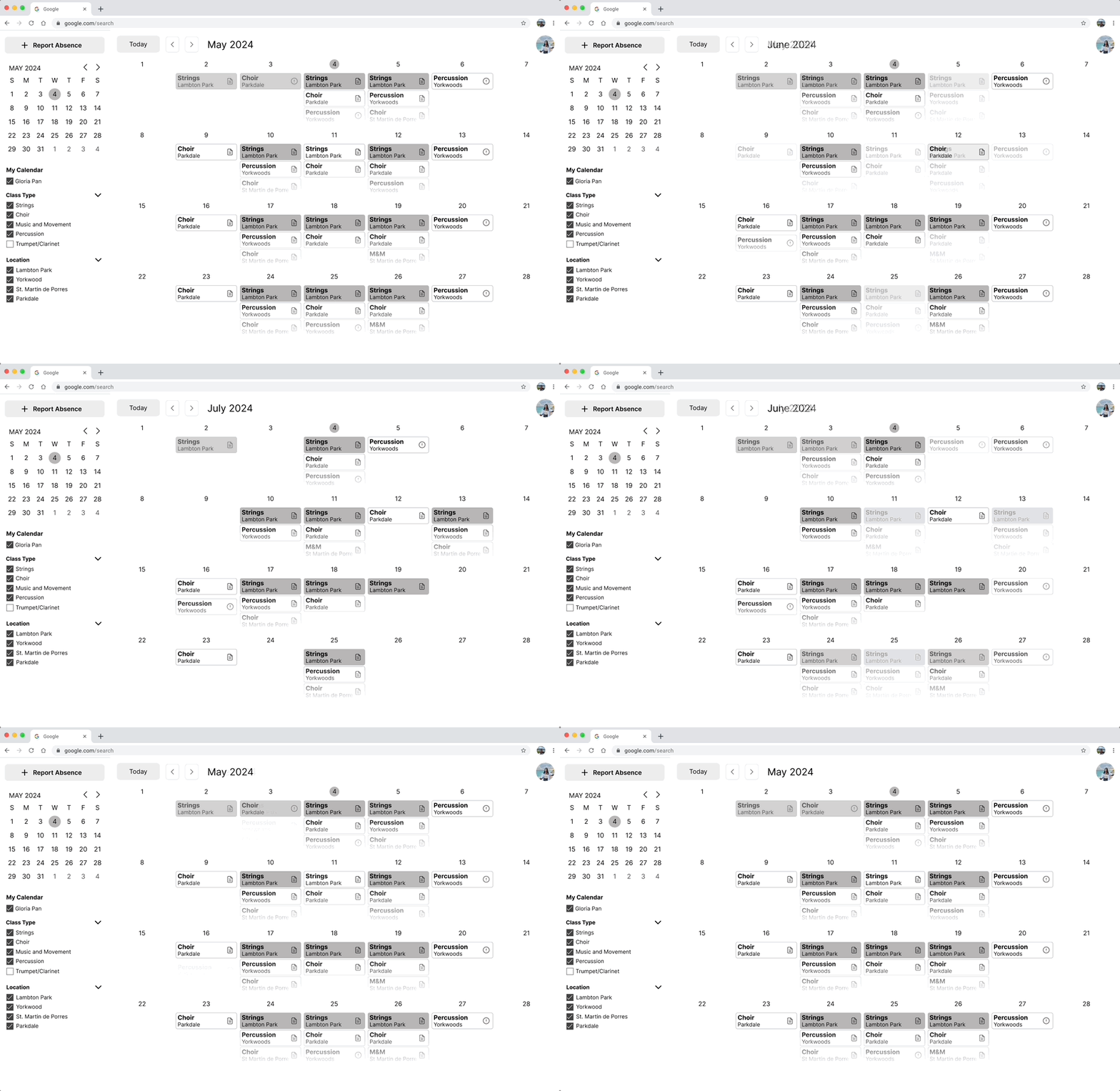
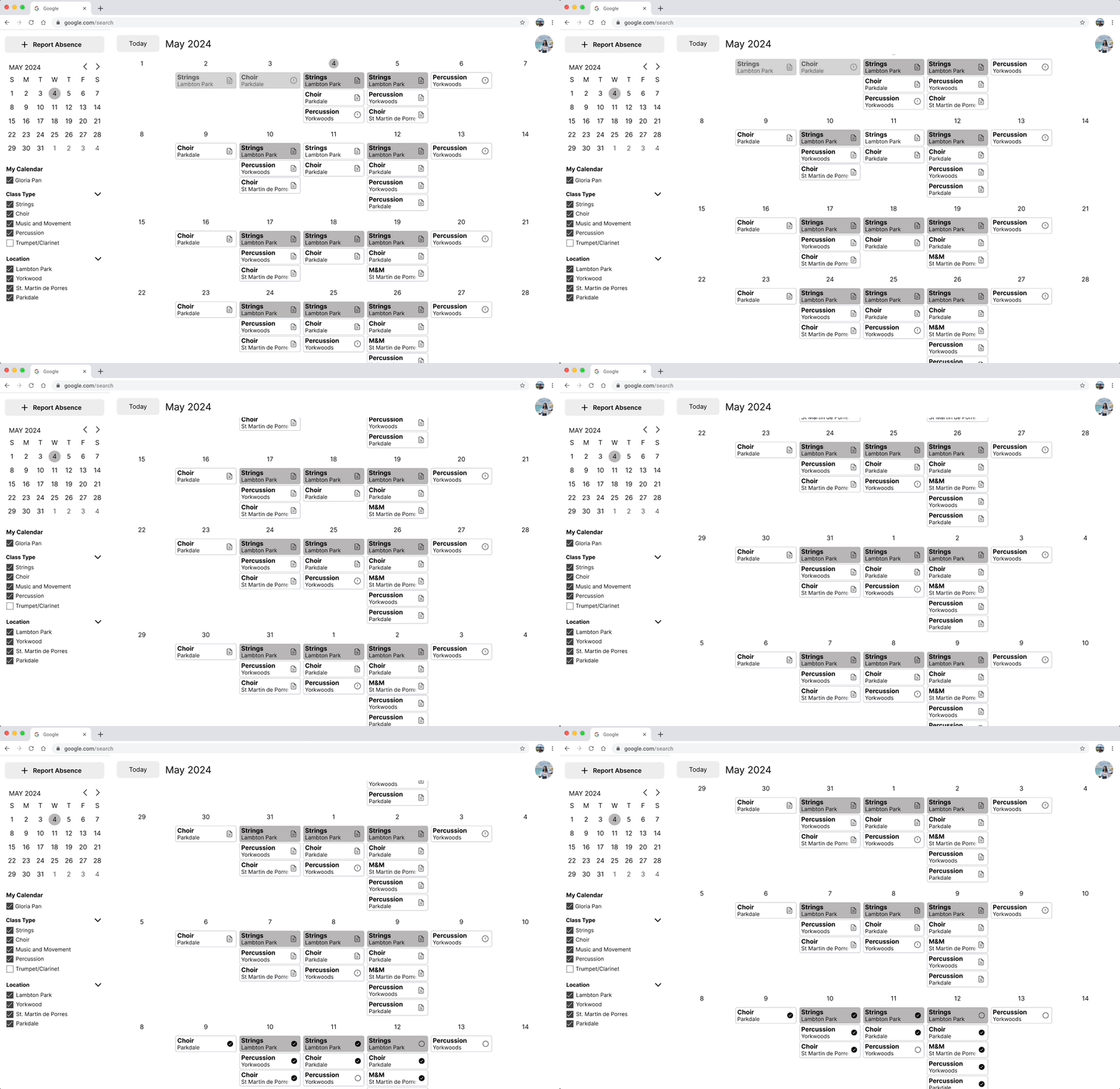
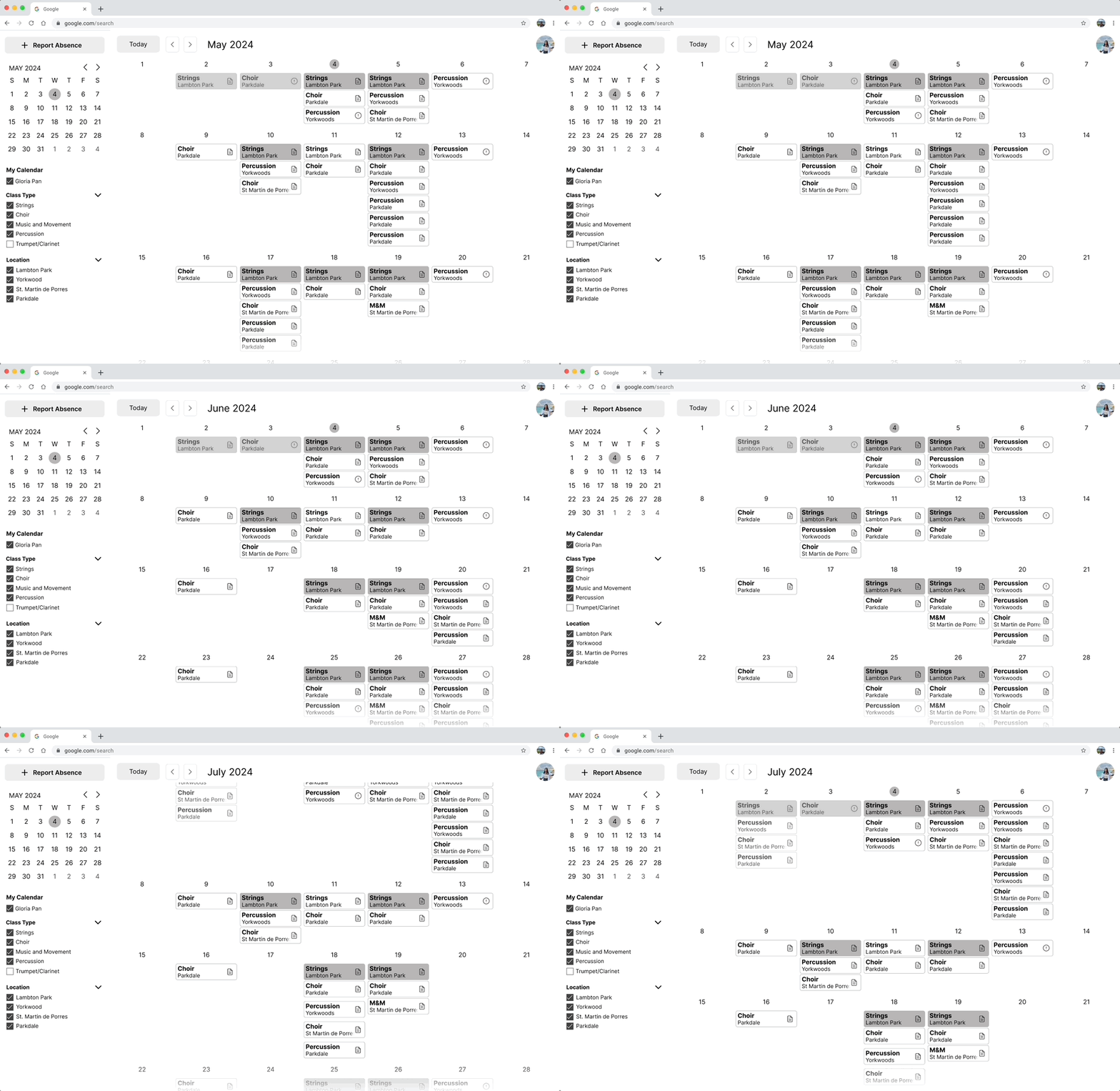
We ultimately chose vertical scroll per month + arrows. It provided just enough flexibility to view long-term patterns while keeping the UI light and navigable for both teachers and admins.
Why no daily/weekly views like Google Calendar does?
Sistema requested we omit time-specific views altogether.
Classes happen at the same time each day
Only one class per room per day → So we didn’t need time blocks or granular views. A monthly absence overview was more than sufficient.
This was another decision guided by our goal of customizability.
CHALLENGE
Defining Absence Modal States
Absence events function similarly to Google Calendar events, appearing as widgets within a calendar.
Clicking on one opens a modal containing key information—but the content varies depending on:
who the absence belongs to
who’s viewing it
whether it’s been filled
One big challenge I came across was defining which states needed to be defined, and how to design the differences between states.
As part of our goals, we wanted to customize the experience specifically for Sistema, which meant personalizing the experience for every relevant state.
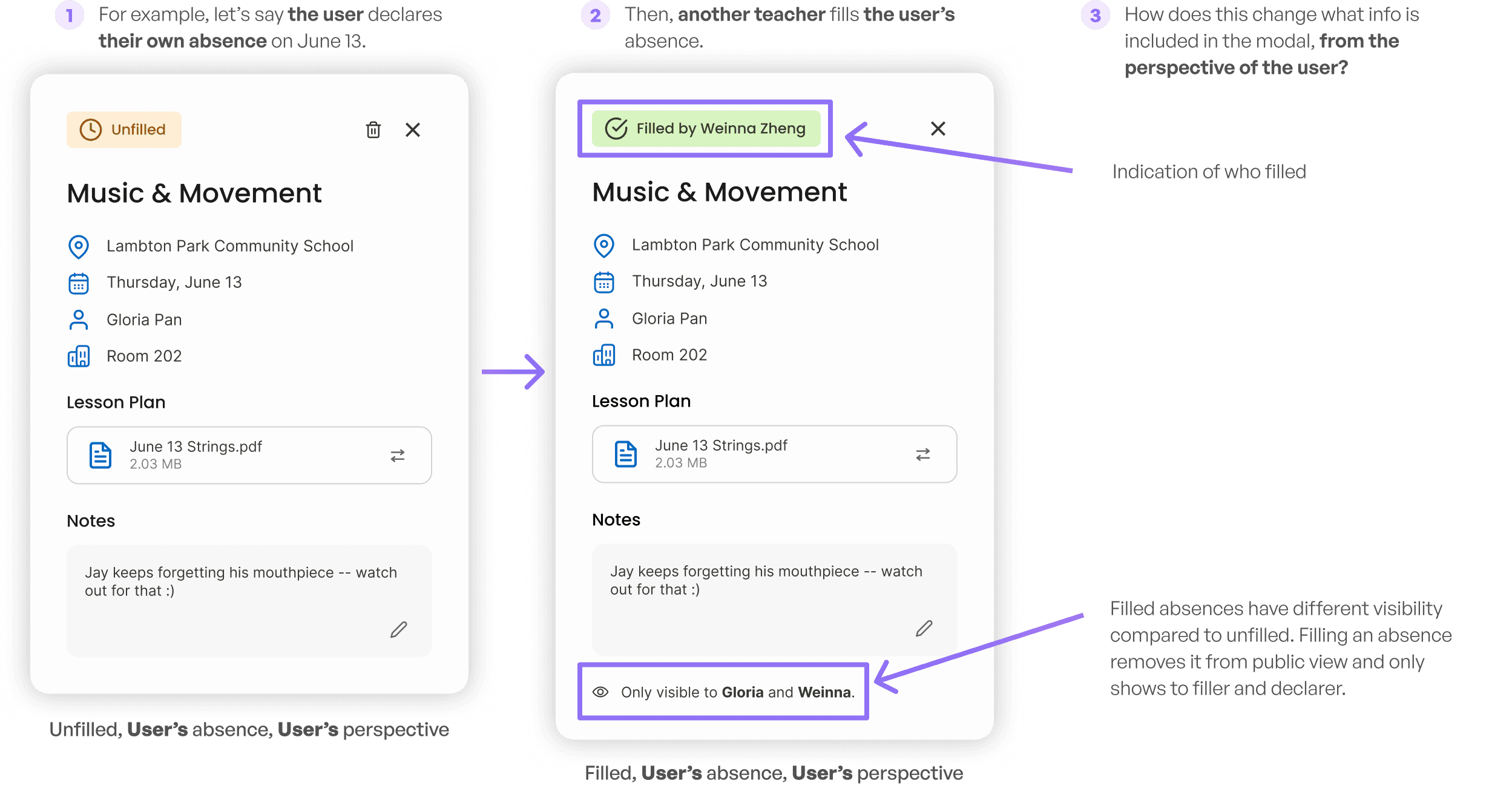
What are all the different cases?
Each absence can be:
Filled (by who?) or Unfilled
Belonging to the User or another user
Perspective of the User or another user
This creates multiple permutations, each needing its own layout logic.
For each permutation, we needed to consider:
Visibility: Who should this be visible to?
This helped us eliminate some permutations where it was redundant to show certain users.
Editability: Who can modify the data, and how should the design reflect that?
Handling optional states and special cases
We also accounted for optional fields and special cases that could subtly influence UI layout.

Each of these look different depending on the perspective, which ended up creating new states as well.
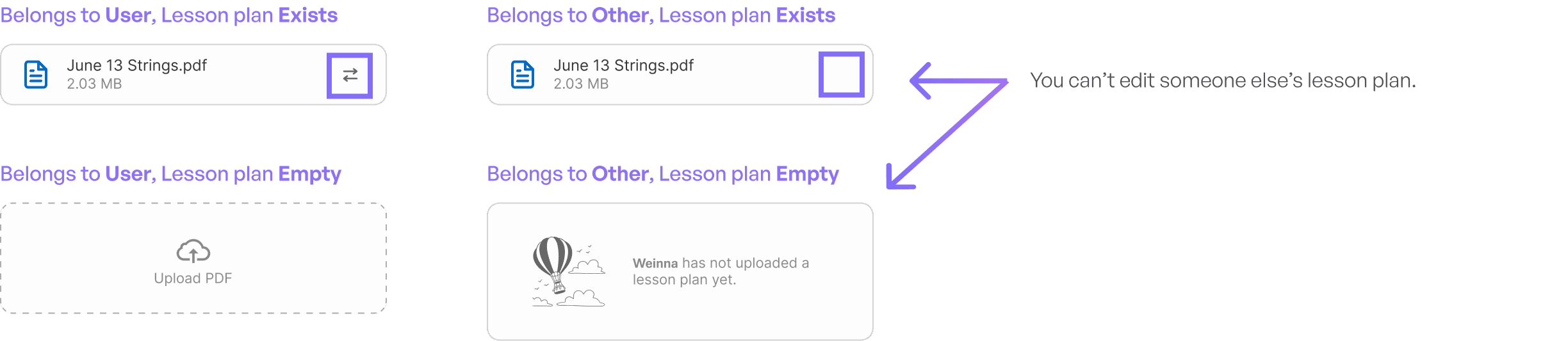
In the end, we defined 14 distinct modal states for our final designs. The orange notes indicate the notable changes based on the impacting factors.
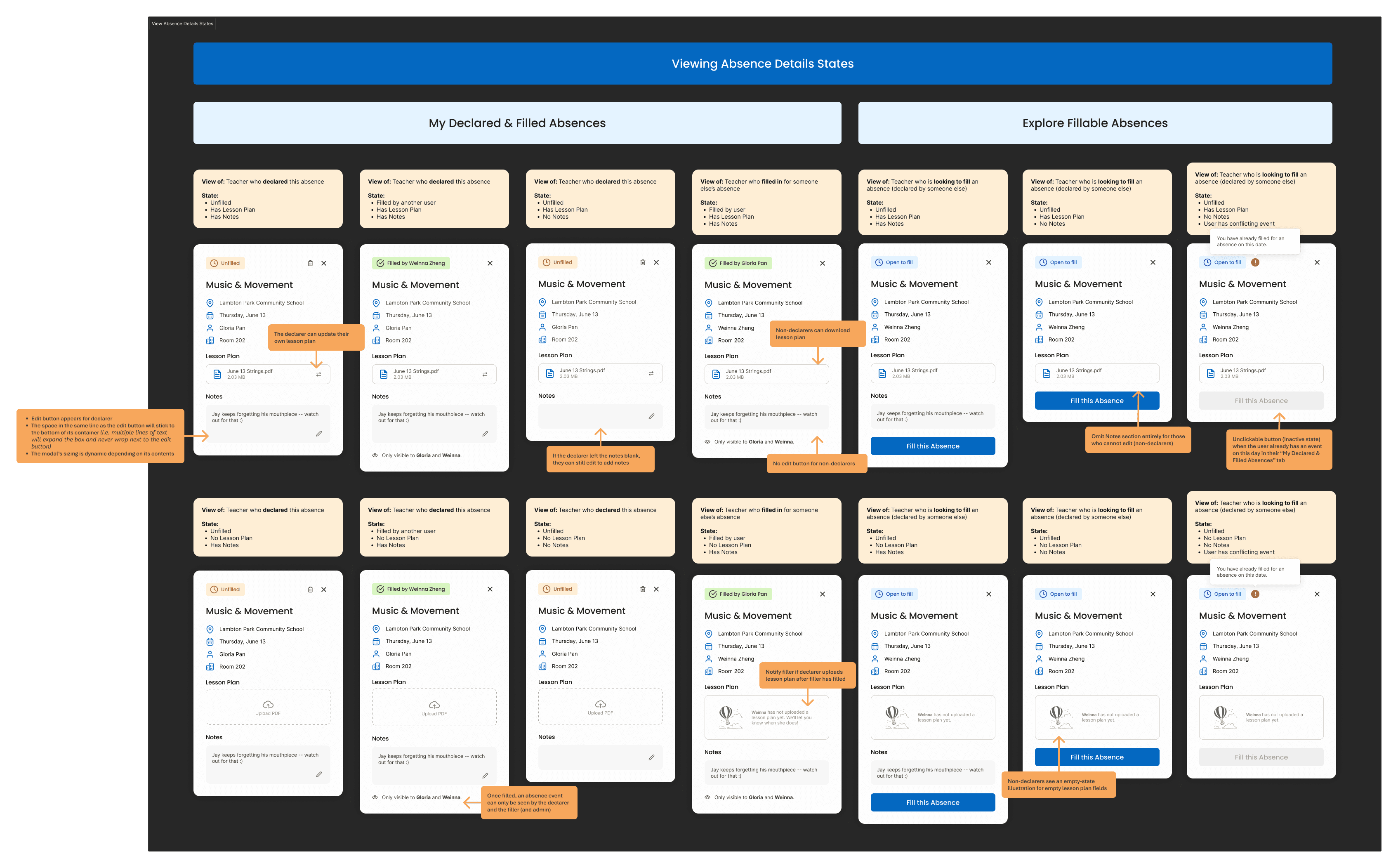
Curious why this is categorized using “My Declared & Filled Absences” and “Explore Fillable Absences”?
Read the next section to find out why!
USER FEEDBACK → DESIGN DECISION
Accommodating our calendar for user intentions
In user testing, we noticed a recurring problem: teachers were confused by the many different widget states in the calendar. The variety of scenarios—claimed vs unclaimed, user vs others, filled vs unfilled—was overwhelming and difficult to interpret at a glance.
(For reference, by widgets I’m referring to these; the mini versions of the modals in the prev section. Check out all of our widget states we had from an earlier iteration—it’s a lot, right? Wait till you see all of them combined in the same calendar later.)

So we stepped back to reframe the design around user intent.
Instead of showing everything at once, we asked:
What are the two main reasons a teacher uses the calendar?
We found that they usually came with one of two goals:
1
Explore fillable absences—
“Can I help another teacher today?”
2
Monitor my own absences—
“Has someone filled in for me yet?”
Solution: Two Distinct Views
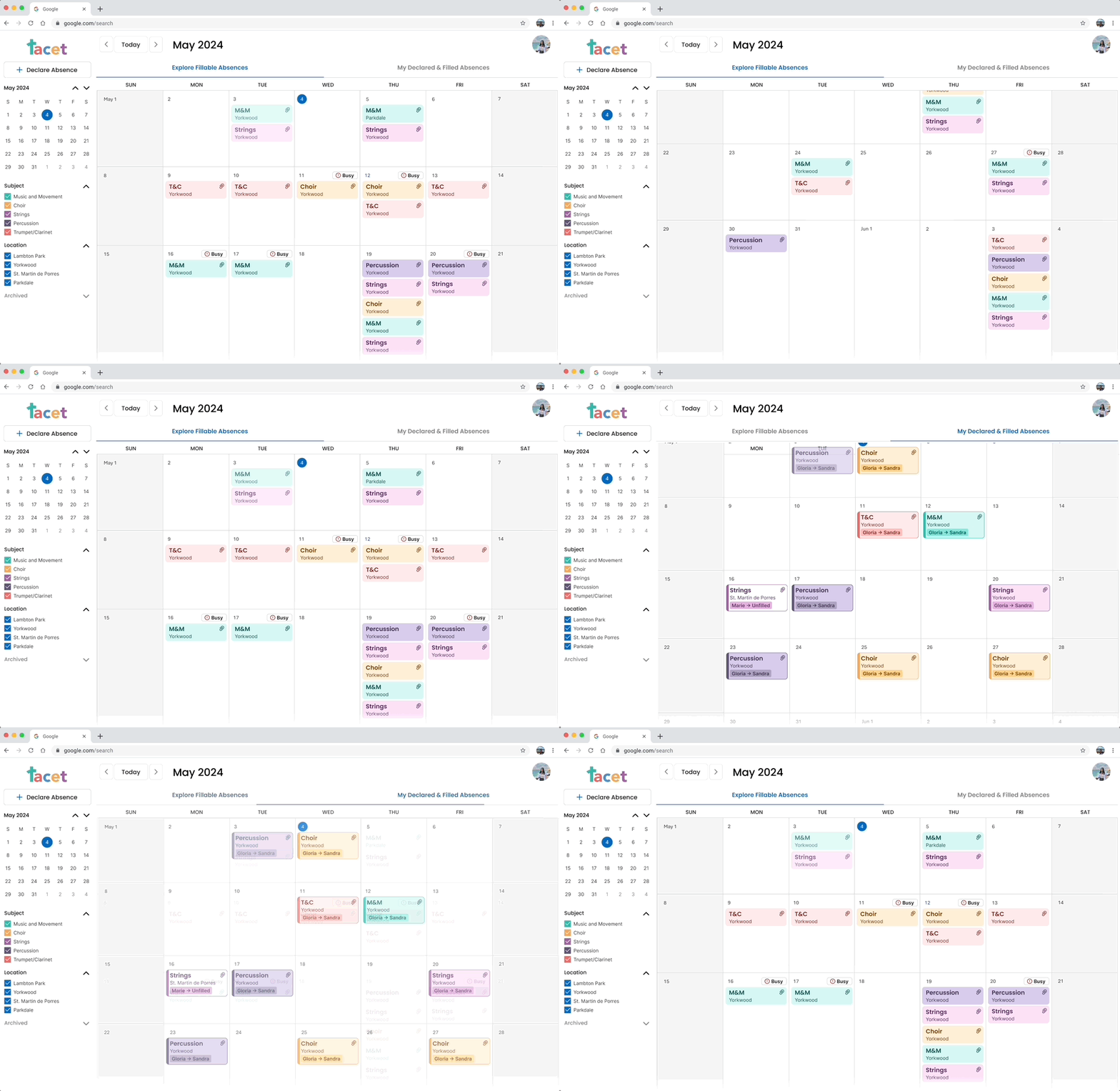
To reduce cognitive load, we split the calendar into two dedicated tabs:
Explore Fillable Absences:
For browsing and picking up others’ shifts.
My Declared & Filled Absences
For keeping track of your own events.
This separation aligned with real user tasks and allowed each view to be simpler, clearer, and more focused. And as a result, we updated the widget styles to make it easier to intuitively understand the states, with the additional context from the tabs.
❌ Old calendar view (overwhelming!)
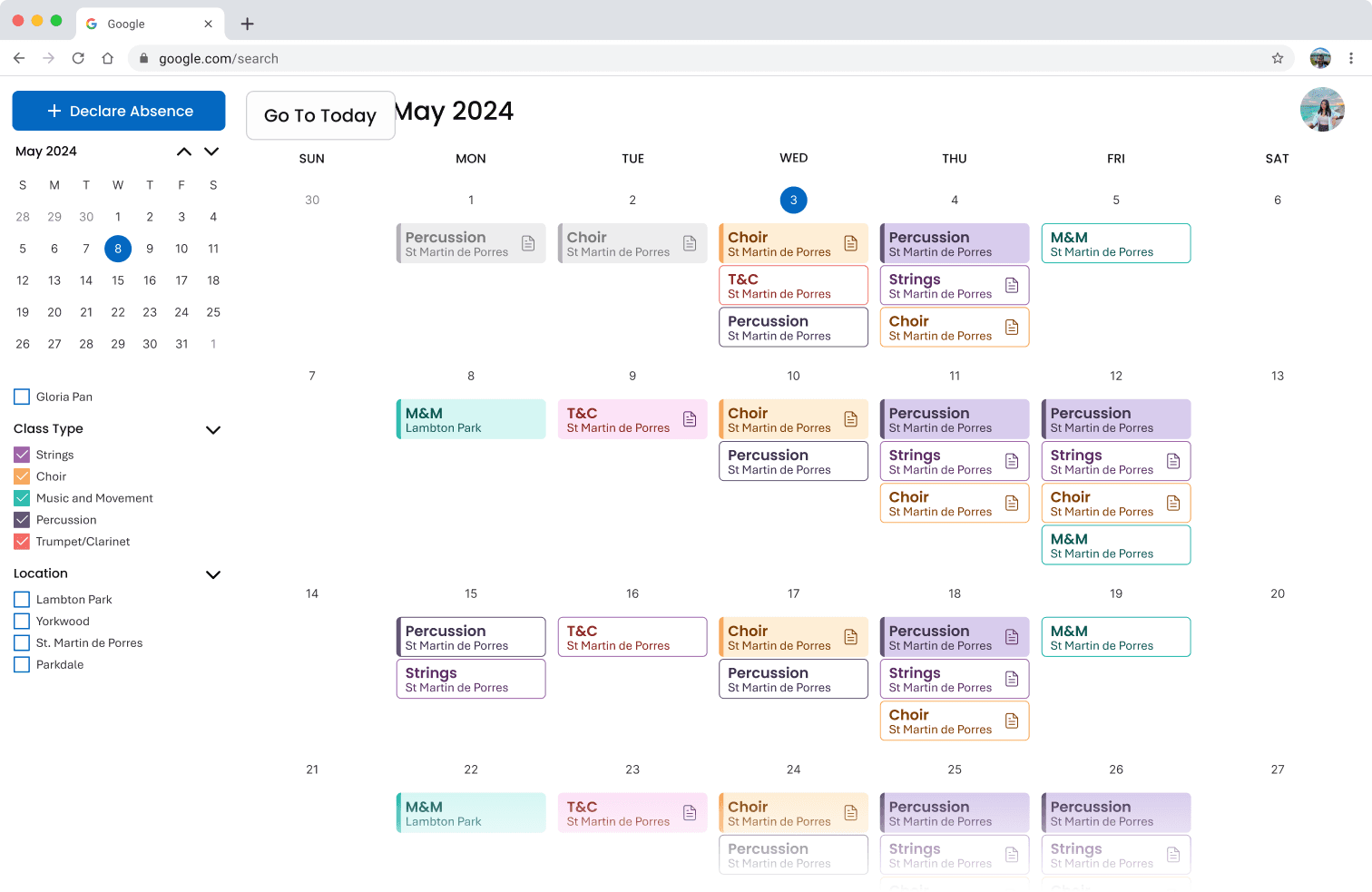
✅ New calendar views, separated by tabs & updated widgets
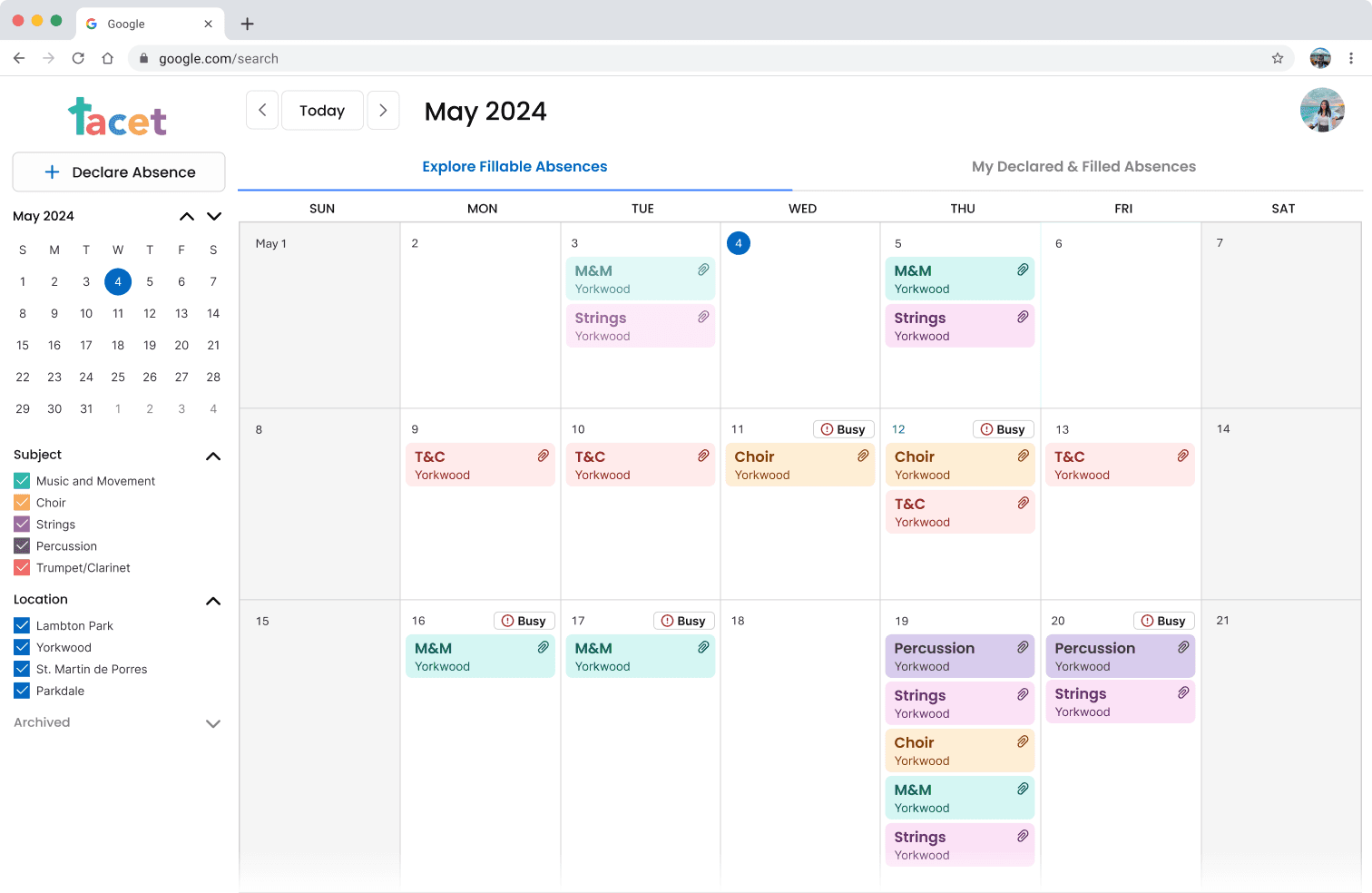
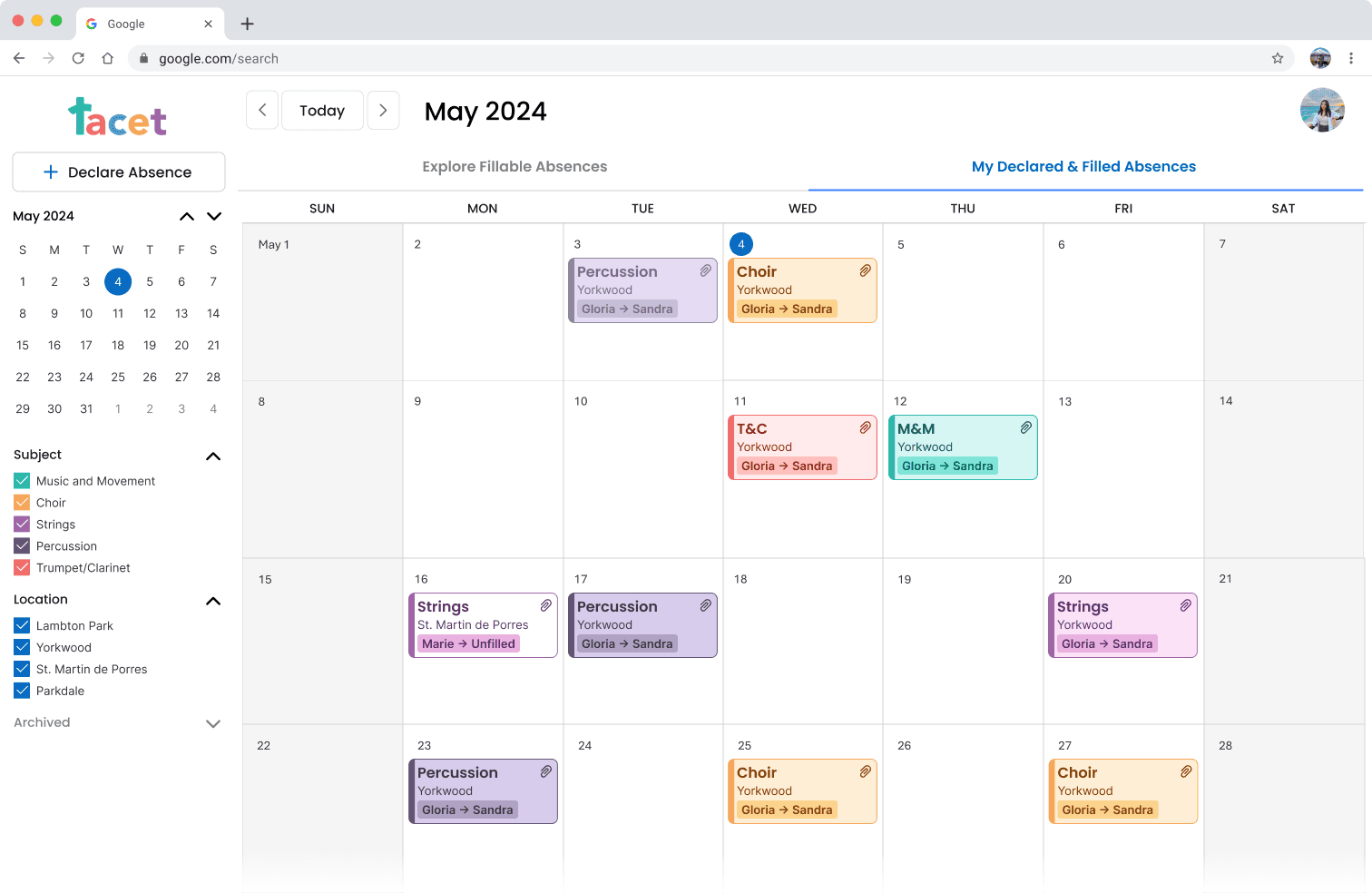
Why did we choose to separate into tabs instead of just adding extra filters on the left?
Filters can be left on by accident, or multiple filters can be applied at once—leading users to think something’s missing or broken. By contrast, tabs force a singular, focused mode and guide users more intuitively through the base structure of the platform.
STRUCTURE
Easily navigate the calendar
CALENDAR VIEW
Fill and Declare Absences

CORE FEATURES
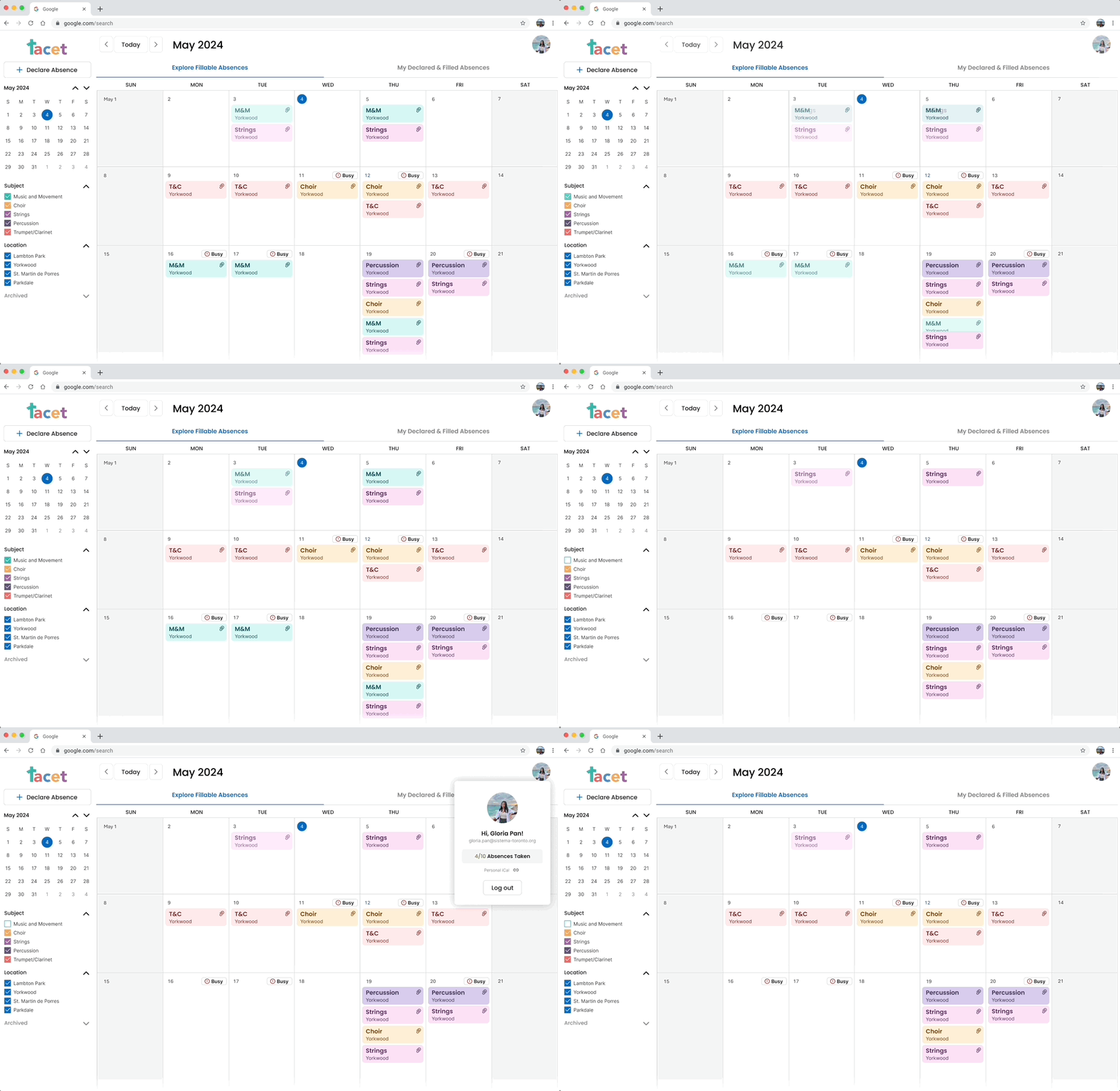
Filters and User Profile
In addition, check out the admin view designs below!
If you want to learn more about the process for admin view, feel free to reach out.
CALENDAR VIEW
Create, edit, & delete any absence

ADMIN DASHBOARD
Monitor stats and insights
Manage your teachers and other admins
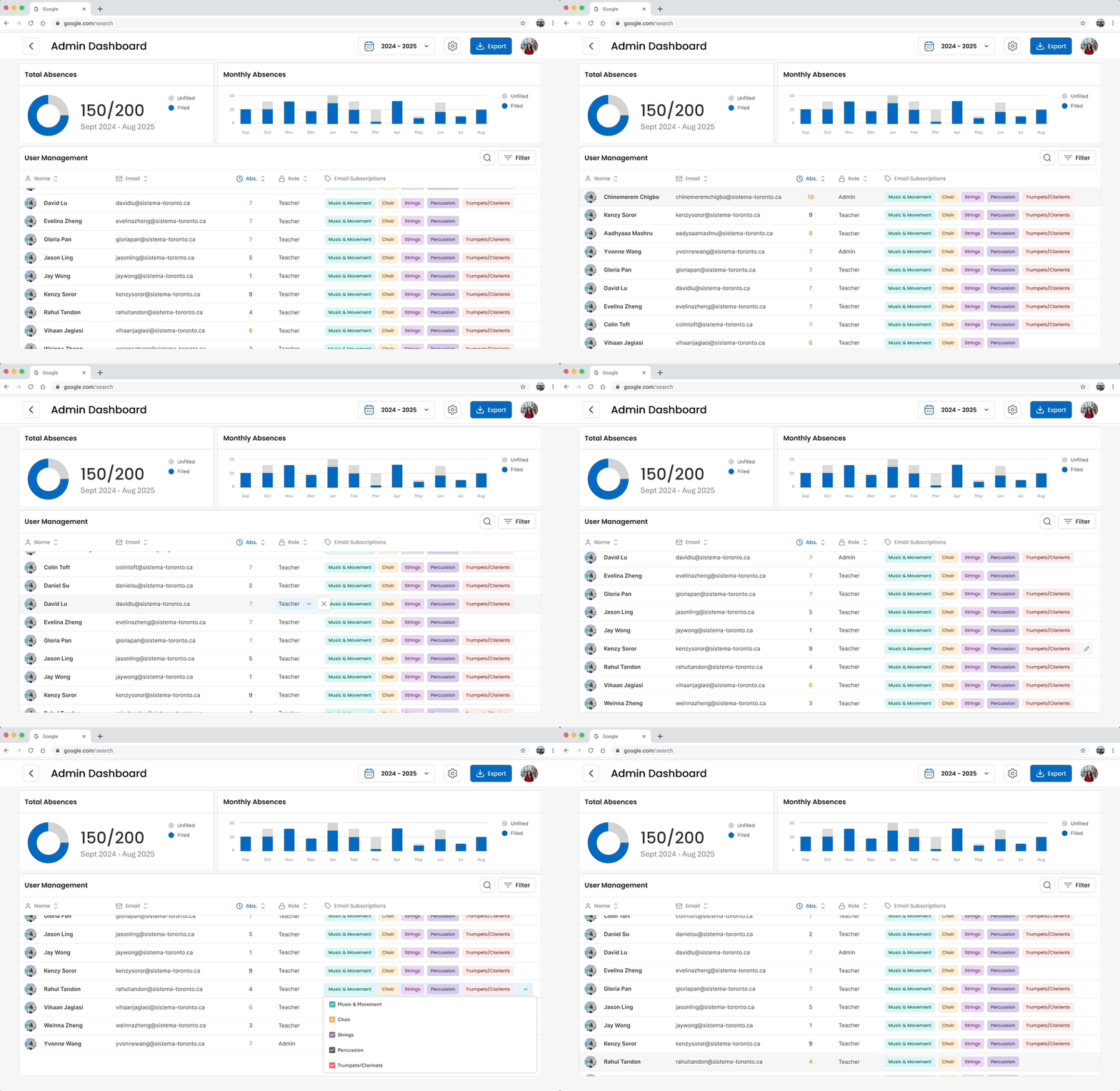
ADMIN DASH → SYSTEM SETTINGS
Customize subjects & locations

Have more lingering questions about this project? Just ask!
Send over an email or msg me on Linkedin :)
PRODUCT THINKING
FULL PLATFORM
WEB APP
IN-DEPTH